Look beyond the overall score
Inspect focus and eyes, turn on focus peaking, and adjust the six scoring criteria for how you shoot.
Explore scoring and inspectionFor wildlife photographers
BurstPick groups your bursts and ranks each frame. Compare the close calls, pick your keepers, and send them to Lightroom Classic or another editor.
Try BurstPick freeFree for 14 days. No credit card. Windows, Mac, and Linux.
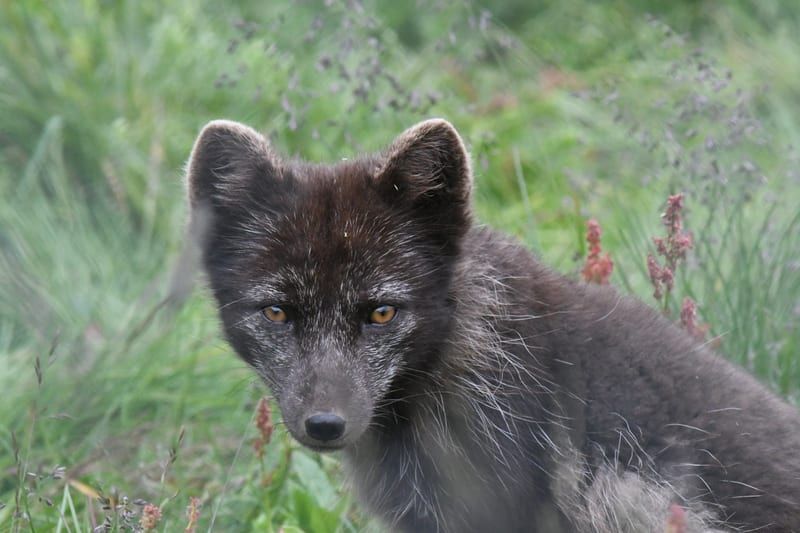
72
81 (top)
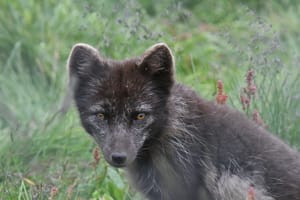
80
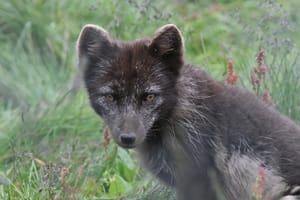
77
Open a folder and let BurstPick group and rank the frames. Expand a burst to inspect every option, or browse its suggested best frame first.
Survey a larger burst, then judge up to four finalists together. Inspect eye detail, sync pan and zoom, and crown the frame you want to keep.
Copy your keepers to a new folder with XMP sidecars, or write XMP beside the source files. Choose what ratings, labels, and keywords get written.
Already use an editor? See how the handoff works
A walkthrough on a 1,703-photo folder: scoring, comparing eye detail, picking a handful of example keepers, checking species tags, and handing them to Lightroom Classic with ratings and keywords. Edited for length, so the waiting and most of the cull are cut.
“BurstPick highlighted an image I had previously missed in a burst of Sandhill Cranes in flight”
“If you're someone that shoots a lot of bird photography or a lot of action wildlife, lots of bursts, then I think it's a really powerful tool”
“I recently came home from shooting a one-day cricket match with over 6,000 photos. … Normally this would take many hours to sort through! BurstPick allowed me to complete the review in a little over an hour”
“BurstPick has the potential to save time in the culling process as part of your editing workflow. It's worth a serious look.”
Inspect focus and eyes, turn on focus peaking, and adjust the six scoring criteria for how you shoot.
Explore scoring and inspectionReview with the keyboard, correct burst groups, tag species, and carry ratings and keywords into your editor.
Explore all featuresFull access for 14 days. No account or credit card required.
$55 for the first 100 buyers, then $89$89, one time. No subscription.
Ranking a photo does not delete it. Review and flag your choices, then choose Copy, Move, or a deliberate Move to Trash action. Copy preserves the source images; Move changes their location.
No. BurstPick groups your bursts, ranks the frames in each one, and marks a suggested best frame as a starting point. You compare the frames and flag your own picks and rejects, and you can override any score with your own rating. Nothing is picked, rejected, or moved until you do it.
Scoring is local, but purchased licenses need internet access for activation and periodic validation. The current app warns after seven days without validation and requires reconnection after fourteen days.
No. BurstPick handles culling before editing and cataloging. It exports photos and configurable XMP ratings, labels, and keywords. It leaves other editors’ sidecars in place. The simplest workflow is to cull before you import to your catalog.
You can. BurstPick handles the step before it: it groups a shoot into bursts, ranks each burst on subject focus and eye visibility, and puts the closest frames side by side, so you choose among a few candidates per burst and not frame by frame. Your keepers then go to whichever editor you use, with optional XMP ratings, labels, and keywords for editors that read sidecars.
No. Scoring runs on your computer, and your photos are not uploaded. There's no account to create. Photos leave your computer only if you choose to send them to support.
BurstPick reads 10 RAW formats: Canon CR2/CR3, Nikon NEF/NRW, Sony ARW, Fujifilm RAF, Panasonic RW2, Olympus / OM System ORF, Pentax PEF, and Adobe DNG. It also reads JPEG, HEIC/HEIF, TIFF, PNG, and AVIF.
Six criteria tuned for wildlife: focus on the subject (not the background), eye visibility and catchlight, exposure, composition, ISO-aware noise, and context within the habitat.
A one-time perpetual license is $89, with a $55 founding price for the first 100 buyers. Try every feature free for 14 days before buying, with no credit card. Purchases have a 30-day money-back guarantee. Updates within the purchased major version are included.
Windows 10 or later, macOS 12 or later (Apple Silicon or Intel), and Ubuntu 22.04 or later. One license covers two machines.
Yes. Every release includes a separate Intel build, built and tested alongside the Apple Silicon one, and a single license activates either. Apple no longer sells Intel Macs and the libraries we depend on are dropping Intel support over time, so we maintain that build for as long as we can do it properly. If that ever changes we will announce it before it takes effect, and your license and the last working version stay yours.
Yes. BurstPick is built around wildlife bursts, with subject and eye detection for mammals and birds.
Yes. BurstPick includes a dedicated bird eye-detection model. Small eyes, flight poses, and busy backgrounds can still challenge detection, so check the eye at full size before you pick.
Version 1.17.0 is available now.
Try it free for 14 days, with no account or credit card. Founding-member pricing is $55 for the first 100 buyers, then $89. A license is $89, one time.
Apple Silicon (M1 to M4) build. On an Intel Mac? Get the Intel build
Runs on macOS 12+ (Apple Silicon or Intel), Windows 10+, and Ubuntu 22.04+. 8 GB RAM recommended.
On an Intel Mac? There is a build for you, and we keep it current for as long as Apple's tools allow. What that means
Supported formats
RAW files from Canon, Nikon, Sony, Fujifilm, Olympus and OM System, Panasonic, and Pentax, plus DNG, JPEG, HEIC, TIFF, PNG, and AVIF.